bCasino Error Codes
Fix bCasino error codes in New Zealand: check status, run a 60 second diagnosis, protect your bet and learn what each web error means.
Current status of bCasino
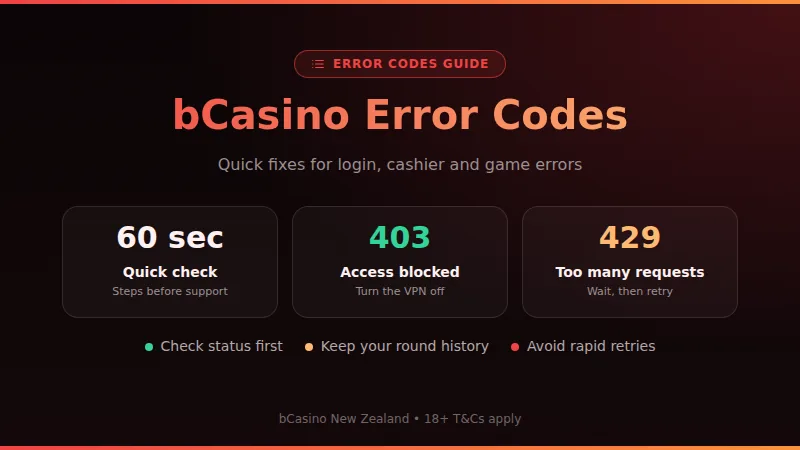
Most bCasino errors clear after a status check, a page reload and a fresh login. Work through the 60 second checklist below, note the exact code or message you see, and contact support through the Help Center if the problem persists. Last checked: 31 October 2026.
Before you change anything on your device, find out whether the problem is on your side or on the site's side. The status panel below shows the state of the main areas - lobby, live casino and cashier - and records every incident in a running log. If an area is marked as affected, the fastest fix is simply to wait and try again later. If everything looks normal, the cause is usually your connection, your browser or your session, and the checklist further down will find it.
Shows the state of the lobby, live casino and cashier, with a running log of recorded incidents and how long each lasted.
- Official site
- Official bCasino website
- Main areas
- Casino, Live Casino, All Games
- Access
- Browser or installed web app
- Help route
- Help Center
- Last checked
- 31 October 2026
For a wider look at availability and what to do when the site seems unreachable, see our bCasino status page. It covers the same question from the angle of whether the site is up at all, while this page focuses on the codes and messages you see on screen.
Diagnose the problem in 60 seconds
-
1
Read the message
Note the exact wording and any number on screen. A screenshot saves you retyping it later if you need help.
-
2
Check the status panel
If the lobby, live casino or cashier is marked as affected, stop here. Nothing on your device will fix a site-side incident.
-
3
Reload the page
Use a normal reload first. If the page loads half-built, try a hard reload so the browser fetches fresh files.
-
4
Test another site
Open any other website. If it fails too, the problem is your Wi-Fi or mobile data, not bCasino.
-
5
Switch your connection
Move from Wi-Fi to mobile data or the other way round. This clears most timeouts and blocked-route messages.
-
6
Log out and back in
A stale session causes many sign-in and cashier errors. Close the tab fully, reopen the official bCasino site and sign in again.
If all six steps fail, wait a few minutes before repeating them. Hammering the reload button or retrying a payment many times in a row can trigger rate limits and make things worse, and it can lead to duplicate deposit attempts that are hard to untangle.
What happens to your bet when something fails
A dropped connection in the middle of a spin or a live hand is the scariest kind of error, because money is in play. The key point is that rounds are decided by the game server, not by your screen. Your screen only displays the result, so closing the tab or losing signal does not by itself cancel a bet that has already been placed.
- Do not restart the round by placing the same bet again straight away.
- Reopen the game or lobby and look at the game history or recent rounds for the result.
- Check your balance before and after reconnecting to see whether the stake was taken.
- For live tables, rejoin the same table and wait for the next round to start.
- If the history shows nothing and the balance looks wrong, take a screenshot and contact support.
If a glitch leaves you tense or tempted to win a stake back with bigger bets, step away for a while. Support for New Zealand players is available from pgf.nz and the Gambling Helpline whenever play stops feeling fun.
Pragmatic Play
- The Bingo Spot
- Gameshow Party Jackpot Play
- 3 Magic Eggs
Hacksaw
- Moneyplane Bail2Win
- Speed Crash
- Blocks
Nolimit City
- Tractor Beam
Outage log: how incidents are recorded
The log grows over time. Each new incident is added as a separate entry and older entries stay in place, so you can see whether a problem is a one-off or a pattern. Every entry follows the same structure, which makes it easy to compare incidents and to spot which area breaks most often.
| Field | What it records |
|---|---|
| Date and time | New Zealand time |
| Area | Lobby, live, cashier |
| Symptom | What players saw |
| Status | Open or resolved |
| Duration | Start to finish |
| Fix | What helped |
Times in the log use New Zealand time so you do not have to convert. An entry stays marked as open until the area works normally again, and the duration is filled in only when the incident is closed.
A long gap between entries is a good sign. A cluster of entries in the same area, such as the cashier, tells you that payment errors are more likely to be on the site's side than on yours, so waiting is the better choice than changing your payment method.
Fixes by symptom
Page will not load
Check the status panel, then reload. Try another network and clear the cache for the bCasino site if the blank page remains.
Cannot sign in
Retype the password slowly, check caps lock and log out of any old tab. Use the password reset if it still fails.
Game freezes mid-round
Do not close the app in a rush. Reopen the game, check the round history and confirm your balance before you continue.
Live table disconnects
Rejoin the same table. If video is choppy, switch from mobile data to Wi-Fi or lower other downloads on the network.
Balance looks wrong
Refresh the lobby and wait a minute. Balances sometimes lag after a round, so recheck before assuming anything is missing.
Installed app misbehaves
The installed web app runs on the same site. Close it fully, reopen it, and if needed use the browser version instead.
Work from the top of this list down. Most problems are fixed by the first or second action, and anything that survives all of them is worth reporting to support with the details described below.
Understanding the codes you may see
When a page fails, your browser or the connection often shows a numbered web code. These are standard codes used across the internet, so the exact wording on screen may differ, but the number tells you roughly where the fault sits. Codes starting with 4 usually point to your request or your session. Codes starting with 5 usually point to the server side.
| Code | Meaning | First step |
|---|---|---|
| 400 | Bad request | Reload page |
| 401 | Signed out | Log in again |
| 403 | Access blocked | Check VPN |
| 404 | Page not found | Use lobby menu |
| 408 | Request timeout | Switch network |
| 429 | Too many requests | Wait, then retry |
| 500 | Server error | Check status |
| 502 | Bad gateway | Wait, reload |
| 503 | Service unavailable | Try later |
| 504 | Gateway timeout | Retry later |
Swipe to see all columns
A 4xx code is worth fixing on your side first. A 5xx code usually clears on its own, so check the status panel and give it a few minutes before you try anything drastic.
A 403 deserves a special note. If you use a VPN or a work or school network, it can cause an access-blocked message. Turn the VPN off, connect directly from home in New Zealand, and try again.
Deposit and withdrawal errors
Cashier errors are the ones that worry players most, because they involve real money. A failed deposit does not always mean the site is broken. Often the bank has declined the payment. In New Zealand, a credit card deposit to a gambling site is treated as a cash advance, which many banks decline or charge extra for, so a debit card or another method is usually smoother.
Check the amount against the minimum shown in the cashier. Our minimum deposit guide explains how to find it.
Confirm the name on your payment method matches the name on your account.
Look at your bank app to see whether the money left your account before you retry.
Review the methods on our payment methods page if one keeps failing.
For delayed cashouts, read the withdrawal times guide before assuming an error.
Never submit the same payment several times in a row. If your bank shows a pending charge and your bCasino balance has not changed, wait and let the payment either complete or be released, then contact support with the time and amount.
When to contact support
If the checklist did not solve the problem and the status panel shows no incident, it is time to talk to the team. Use the Help Center link in the footer of the official bCasino site. A clear message gets a faster and more useful reply, so gather the details first.
- The exact error text or code, with a screenshot if you can.
- The date, the time in New Zealand time and the page or game you were on.
- Your device and browser, or whether you were in the installed web app.
- The amount and method for any deposit or withdrawal involved.
- What you already tried, so support does not repeat the same advice.
bCasino error questions answered
What does an error code on bCasino mean?
Numbered codes you see in the browser are standard web codes. Those starting with 4 usually point to your session, request or network, and those starting with 5 usually mean a server-side problem. The table on this page lists the common ones with a first step for each.
Why can't I log in to bCasino?
The usual causes are a mistyped password, a stale session or a blocked route such as a VPN. Log out of old tabs, retype your details slowly and try a direct connection. If it still fails, use the password reset or contact support through the Help Center.
Will I lose my bet if the game freezes?
Not automatically. The game server decides the round, so a frozen screen does not cancel a bet that was already placed. Reopen the game, check the round history and your balance, and avoid placing the same bet again until you know the result.
Why was my deposit declined?
Often the bank, not the casino, declines it. In New Zealand a credit card deposit counts as a cash advance, which many banks block. Try a debit card or another method, check the minimum amount, and make sure the account name matches yours.
Is bCasino down for everyone or just me?
Check the status panel at the top of this page first. If the affected area is marked, the problem is on the site's side. If not, test another website and switch networks, because the fault is probably your connection or session.
How do I report an error to support?
Open the Help Center from the footer of the official bCasino site and send one complete message. Include the error text, the time in New Zealand time, the game or page, your device and any payment details. A clear report usually gets a faster answer.
Keep reading
18+. Gamble responsibly. Offers, limits and available methods can change without notice, so the cashier and the promotion page are always the final word.